Saturday, 19 September 2015

The game changing app - IFTTT - make internet work for YOU!

Your Device , Your Command.....

Hey guys... after a long time!!!!
I was a little busy... had my exams and stuff...
Putting the excuses aside! I was waiting to post something really useful for you all! "you all" who have helped me cross a 700 views... I've decided to express my love for you all by blogging on something that can help you by making your life with your smartphone easier!!!

At some point of time in your smartphone life you may feel - " I wish my smartphone could do this on it's own!"  For example, every time you take a screenshot you want it to be uploaded to your Dropbox or Google Drive or every time you click a picture you want this to be done. But every time you manually do this and sometimes you feel lazy and give up.

I've got the best solution for such sufferers. The solution is the one and only IFTTT app which you can download and install from either Google's Play store or Apple's App store.
IFTTT


What is IFTTT?
IFTTT gives you creative control over the products, apps and functionalities you love.


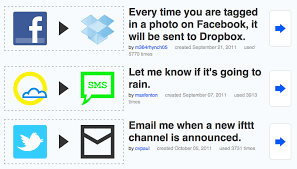
In simple language, you need to tell it what to do (like saving it to Dropbox/ Google drive or mailing to someone) when a specific task is done by you (like taking a screenshot/ picture or liking a pic on Instagram). The set of commands given by you in this way is called a recipe. And all the tasks to be performed are done in the background by the app. Making a recipe is similar to typing an 'If - Then- else' html code.
Image result for ifttt

My favorite of all the recipes that I've set using the IFTTT app is -
>> IF-  I download a .docx or pdf file using chrome, THEN- upload it to my google drive. <<
 This recipe has proved to be very useful to me as I have 3 android devices with the google drive app,  so, whenever I download any circular or exam schedule on my mobile, the IFTTT app  comes into action and in the background uploads the file to my Drive account and BOOM! after some time I can pick up any of my 3 devices and have look at the pdf or Word document through the Google Drive app.

For further understanding or for signing up you can either download the IFTTT app through App store or Play store or visit the IFTTT website.

Friday, 22 May 2015

samsung galaxy s6 review

Samsung Galaxy S6 Edge


The Galaxy S6 Edge is the curved-display variant of the Galaxy S6. It features a 5.1-inch Super AMOLED display with a top-end 1440p resolution, a brand new Exynos 7 Octa 7420 SoC, and a 16-megapixel optically stabilized camera. 


Pros-

1} One of the best displays in market.
2} Impressive & stable performance.
3} Super-fine photos producing camera & super fast camera app.
4} Better and powerful fingerprint scanner.


Cons-

1} No micro sd card slot for memory expansion.
2} The glass body leads to smudges by fingers.
3} Non removable Battery.
4} Not the easiest to hold phone because of the unique edge design.


Thursday, 14 May 2015

How to really improve Wi-Fi signal strength on your smartphone

How to really improve Wi-Fi signal strength on your smartphone


While we won't go as far as comparing Wi-Fi signal strength issues with an actual health epidemic, it is fair to say that it's a recurring problem that millions of people clash with on a daily basis. Whether it's a poorly performing router, or an anemic Wi-Fi antenna in your smartphone, the reasons that contribute to poor connectivity are varied and large in number. It's not surprising, then, that the internet is filled with advice on how to solve this.

Starting with how your home or work router is positioned, through the type of materials used with your walls, down to what's sitting next to the router itself — all can contribute to a poor connection. Physics play their part, and it's physics that we'll be conquering today, instead of relying on any of the many Wi-Fi 'optimzer' apps available online that often make questionable claims. Instead of going through the headache of checking each and every one of them to see if they deliver, we'll instead give you one of the surest ways to ensure that your home or work Wi-Fi signal reaches your smartphone. We've been using the following tweak for many years, and it's one of very few foolproof tweaks that will actually net you better signal strength.

Best of all? It has nothing to do with your smartphone, so it'll work whether you're using a Windows Phone, iOS, or Android device. In fact, every gadget imaginable that connects to your Wi-Fi network will enjoy better signal strength.

                                                         1) Knowing your router:

Before we can carry out any tweaks, we first have to know a bit more about the Wi-Fi router that's giving us headaches. Usually, you can access your router's interface through a browser, by typing in 192.168.0.1in the address bar on top. Some workplaces have a more sophisticated system in place, so the address (or the default gateway) may look slightly different — say, 192.168.1.1 or 192.168.2.1. 
The easiest way to find out, provided that your Windows computer is connected to the same network, is to run a short command in the command prompt. To do so, click on the start button on the bottom left and type in 'cmd' or if you are running on xp then in "run" type 'cmd'. Then launch cmd.exe. You can even find this - start>programs>accessories>command prompt.

2) Identify your default gateway-


Once cmd loads, you'll be met with a small, rectangular window. This step is easy enough — just type in ipconfig and watch the window populate. What you're looking for is your default gateway address, as highlighted on the image. Write it down or don't close the window for now.

3) Entry


For the next steps, you can switch to your smartphone. Start by entering the default gateway address from the last step into your phone browser's address bar, and wait for it to load. You should be met with
a pop-up windows, prompting you to enter a username and password combination i order to access the router's settings. Unless those have been changed on purpose, they're usually quite generic — admin for username and password for password. In case that doesn't work for you, you'll need to check the brand of your Wi-Fi router, and then do a quick Google search for the manufacturer's default combination. This may sound complicated, but it's usually information you can get within a minute or two.

4) Getting Around


Once you get beyond the log-in screen, you'll be met with a web interface that will differ depending on your router brand. With TP-Link browser, it should look something like what you're seeing on top. If your router make is different, don't fret — you should still be able to find the option we're digging for relatively easy. In our case, we had to go to Wireless > Wireless settings.

                                                        5) Channel Options


The option you're looking for is Channel. This tells your router the frequency at which to transmit the Wi-Fi signal. As you can imagine, the further away you are from the channel other people are using, the less interference there will be, and the better the throughput. The next step will have you analyze your surrounding networks to pinpoint which channel is optimal.

                                           6) The Tool you need


To do said analysis, you'll need specialized software — an app for your smartphone. For Android, an
app like Wi-Fi Analyzer has what we need. Now comes the slightly tricky part — picking the right
channel.

In general, most of us are still using older, 2.4GHz routers, so we'll assume that that's what you have. If you have a 5GHz router, you likely won't be reading this guide. With a 2.4GHz router, you have up to 14 channels available, depending on your region. The problem is that each channel is separated from the others by just 5MHz of spectrum, and your network will typically occupy 20MHz. This means that unless you live in a remote area, your network will likely overlap with others in the vicinity. My job here is to pick the sweet spot, where there's least interference. Only channels 1, 6, and 11 can work together without any interference at all. In the example image to your left, it's obvious that channel 1 is the most suitable, as it only houses one other network. Unfortunately, someone could have easily occupied channels 2, 3, 4, and 5, interfering with your signal.

Since most routers ship with a pre-set channel already programmed into the firmware, your area may look a lot like this image, though — a ton of networks all bunched up on a single channel. Even if all three interference-free channels are filled, you might still observe gains in signal strength when switching to another channel outside of 1, 6, and 11. This will require some testing on your end, but rest assured that if yours is a busy region and you're sitting on an overcrowded channel, you'll likely be able to get some returns on your time investment by picking another.
Experiment, and find the sweet spot!


Friday, 24 April 2015

Australians first to receive their "new" Apple Watch

                           Guess who is first receiving the NEW   

                                           Apple watch 


In Australia it is now Friday, April 24th which means that the Apple Watch is now arriving to consumers who ordered the timepiece. Some who are receiving their watch are posting about it on Instagram, Twitter, Facebook and other social media sites. In addition, developers who signed up for a chance to be included in a special allotment of the 42mm Apple Watch, are now receiving their letters from Apple stating whether they will be allowed to make an expedited purchase of the timepiece. 

Those developers selected by Apple to purchase the 42mm Apple Watch will have until 5pm on April 27th to pay for it. Apple has promised the lucky developers chosen that their Apple Watch will be in transit by April 28th.

The Apple Watch starts as low as $349 for the Apple Watch Sport, which is the entry-level model. The most expensive Apple Watch is the $17,000 Apple Watch Edition in rose gold. A special version of that timepiece, with an expensive gold band, has been handed out to celebrities like Beyonce and Drake.

Monday, 6 April 2015

Samsung's Galaxy S6 Edge Bends Under The Same Pressure As The iPhone 6 Plus

                 Galaxy s6 edge joins Iphone 6 plus'

                        "  Bending party !"

Remember "Bendgate"? As our smartphones get bigger, they get more fragile -- and Apple's not the only company whose phones break under pressure.
SquareTrade, an electronics insurance company, used its own "bend bot" to put the new Samsung S6 Edge, the new HTC One M9 and the iPhone 6 Plus to the same pressure test. Watch the video here:
The robot works by putting pressure in the center of the smartphone until it bends or breaks. Even though Apple had to deal with a huge controversy about the iPhone 6 Plus bending under pressure, Samsung's new smartphone bent at the same point.
The iPhone 6 Plus bent at 110 lbs. of pressure, and it completely broke at 179 lbs.

The Galaxy S6 Edge also bent at 110 lbs., and its screen cracked at that point.


The smartphone was still functional with a broken screen, though, and the Galaxy didn't completely break until it was under 149 lbs. of pressure.
The HTC One M9 bent and broke at 120 lbs of pressure, since the phone's power button is on its side, right where the smartphone bent. You can't use a phone without a power button.

"Is this 'Bendgate 2'?" SquareTrade asks in the video. "No, but for Samsung fans it may be worse. Instead of a bent phone, they may have a pocket full of glass."
Here are the three phones after they've reached their breaking points, with the HTC on the left, Samsung in the middle and Apple on the right:

Apple received harsh criticism last September when some users discovered that the iPhone 6 Plus, the tech giant's largest smartphone to date, could be bent under a seemingly small amount of pressure. Even though the controversy didn't stop people from buying the 6 Plus, "Bendgate," combined with operating system glitches, did damage Apple's stock in the midst of the drama.


The first generation Moto X, Moto G, and Moto E phones will all upgrade directly to Android 5.1

                      First- gen Moto mobo users: 

                  Lollipop 5.1 is on its way!!


Waiting for that Lollipop update on your first generation Moto X, Moto E, or Moto G? Well,bad news is that the standard Lollipop 5.0 update isn't happening. The good news? Motorola's skipping 5.0 completely and updating those three devices to Android 5.1. It makes sense for Motorola to do this instead of wasting a ton of effort getting the phones upgraded to an already obsolete OS.
While Motorola is definitely working on making those updates happen, no word on when it'll happen. 

Thursday, 2 April 2015

Comcast Takes on Google with 2Gbps Internet


              Comcast Takes on Google with 2Gbps 

                       Internet


Comcast might not always have the best reputation when it comes to giving customers what they want, but the company could turn that around with its new blazing-fast internet service. Today (April 2), the company announced Gigabit Pro, a 2 Gigabit-per-second fiber internet service that aims to dethrone Google Fiber as the fastest residential Internet in the U.S. when it arrives next month.
Gigabit Pro will start rolling out in Atlanta, where any customer close enough to Comcast's fiber network can have the service installed. Comcast says that Gigabit Pro is symmetrical, meaning you should be able to enjoy download speeds that are as fast as your uploads.
Comcast's new service is twice as fast as Google Fiber, which offers 1GBps speeds. It also has the potential to be more than four times faster than Verizon's FiOS Quantum service, which maxes out at 500 MBps and is available in an $85 monthly Internet and TV package.
While far from ubiquitous, Google Fiber still leads Gigabit Pro in terms of reach. The high-speed service is currently available in Austin, Texas; Kansas City; and Provo, Utah, and will eventually expand to Salt Lake City; Nashville, Tenn.; Atlanta; Charlotte, N.C.; and Raleigh-Durham, N.C. Google Fiber starts at $70 per month for Internet only, and costs $120 per month for Internet and TV.
Comcast has yet to announce how much its Google Fiber competitor will cost, nor has it mentioned any plans to expand past Atlanta. It remains to be seen how many customers will adopt Comcast's new super-fast service, but, if enough do, I could eventually see it spread to other major cities.

HTC's first 2K display

                      The HTC One E9 Plus: 

                      Htc's  first 2k display


This morning HTC China has released full details on the HTC One E9 Plus (aka E9 +), a device which may well be released worldwide. This device takes on the legacy of larger HTC Android devices and adds a dash of the successful standard headliner HTC One. This device is coming with a 5.5-inch Ultra High Definition 2K display, a big fat camera on the back, and newly minted Dolby Audio HTC BoomSound speakers up front. This device is available now in China and will likely be released internationally soon.

Perhaps the most striking bit about this device is the color choices you'll have. First there's Meteor Gray, then there's Classic Rose Gold and Gold Sepia. Hard-hitting color combinations, those are.
Around the back you'll have a 20-megapixel camera* - it'd better be that big with such a massive camera array. There's also a single-LED flash on the back and a dedicated mic for video recording.

The display up front, again, is 5.5-inches and 2K resolution* - that means 534 pixels per inch - sharp as all get-out.
*BUT - and this is a bit but - the details in the copy do not match the details in the "specifications" in this China-based page retrieved via Android Central. We've reached out to HTC to get confirmation on the real-deal final specifications before we go any further.
You CAN count on the images here being legitimate, that's for certain. Whatever happens, you've got that going for you.

Tuesday, 24 March 2015

Samsung building a foldable phone, LG on transparent screens

Samsung and LG on for BIG things!!


Samsung is releasing the occasional flip smartphone, but those are niche products with limited availability and appeal. A Samsung official revealed that the company has a plant to leverage its bendable display technology to create foldable phones.
The official did not provide any more info though if a foldable, flip phone like form factor can be used to provide a large screen in a compact body. While that may sound futuristic, we may see it as early as next year.
The new flexible screen tech has four phases: curved, bent, foldable and rollable. The first two are already a reality, the third one is coming soon while the last one holds promise of displays that are stored like roller blinds.
LG Display has its flexible screens too, though its focus is elsewhere – the company is experimenting with transparent displays. Those will enable augmented reality displays without the need for Google Glass style wearables.

LG already has a promotional prototype ready, however, "it will take some time" until the factories are ready for mass production. The tech is already is some products like luxury cars (for heads-up displays) and refrigerators (to let you see what's inside while showing ads too).
Anyway, there's one transparent display phone that we can think of, the Sony Ericsson Xperia Pureness. Of course, that one had a tiny, low-res, monochrome display and never drew much attention from consumers.
LG is much further ahead than that - the image above is an 18" LG display that's both transparent and bendable.


Thursday, 12 March 2015

htc one e9 specs

Official images and specs of the HTC One E9 leak in China, device touts a massive camera ring and Quad HD display


HTC China has an event for the media set to run from March 11th to March 17th, and though we don't know for sure what it'll be all about, we have a pretty good guess: the HTC One E9. And now, Chinese regulatory authority, TENAA, has added images and some specifications of the device to its database.

Yes, you read that correctly – One E9, not One M9 – meaning that HTC is sort of sticking to the strategy it first put in motion with the HTC One E8/M8, which oversaw the creation of nearly identical devices, save for the used body materials and the camera. From what we're seeing, the approach with the One E9 will be similar, but not identical. Said otherwise, we again have a seemingly different body (metal frame plus plastic?), and quite the conspicuous camera ring on the back, but the rest of the specs sheet differs greatly.

Other specifics we learn from the listing are the One E9's screen size – it will tower the M9 with a considerably larger, 5.5-inch display, which will also be crisper with a resolution of 1440 x 2560. Powering the E9 will be an octa-core MediaTek processor (likely the MT6795) and 3GB of RAM. The device will come in a choice of colors (black, white, and gold) is also listed with support for 2 SIM cards and a 2,800 mAh cell. That would give the E9 a slightly smaller battery capacity than that of the M9, but that can be explained with its much thinner profile, which will sit at 0.3 inches (7.54 mm). As for height and width, those measure 6.16 x 3.01 in (156.5 x 76.5 mm) respectively.

Again, this is kind of similar to what HTC did with the One E8/M8, though we do have to wonder what it's planning for the rear camera this time around. Indeed, with the previous generation, HTC fitted a 13-megapixel camera with the E8 – stark contrast to the 4-megapixel UltraPixel unit of the M8. With the new One M9 sporting a 20-megapixel snapper, however, it begs the question what HTC has in mind for the E9.


Monday, 23 February 2015

Best Chinese smartphones you can buyin the US right now (February)

Best Chinese smartphones you can buy in the US right now (February)


Chinese smartphones are increasingly becoming the best value-for-money efforts
in the mobile industry, offering great specs and at times even good design for
their price tag. Consider that a Xiaomi, Huawei or Lenovo flagships run 20-30%0
less than a similar offer from Samsung, Sony, LG, HTC and other more popular
names, while in the midrange scenario they might start you at half off compared
to the competing brand juggernauts, and it's not hard to grasp why the Chinese
brands are grabbing more and more market share from Samsung and the rest.
The relatively unknown Xiaomi, for instance, used to be lumped in the "Others"
category just in 2013, while this year it is projected to be the world's fifth, and
maybe even fourth maker. Huawei is also doing pretty well, raising its market
share about two percentage points in the span of two years. Lenovo's Motorola
acquisition quickly catapulted it to third place with a 7.4% market share forecast
for the year, and, overall, the ascend can only be attributable to the Chinese
phone makers getting stronger, with Samsung getting weaker.

Well, that's market forces at work for you, but the problem with getting Chinese
brands is usually accessibility and the fact that they are rarely offered on
contract from major carriers - the way here in the US phones are predominantly
bought. With the advent of T-Mobile's and other prepaid offers, however, buying
a handset directly instead of tying yourself on a lengthy expensive contract in
exchange for some phone subsidies, is becoming increasingly attractive. What
better value-for-money in such scenario than the Chinese brands, that's why I
have compiled a list of the best phones from Xiaomi, Lenovo, Meizu, Huawei that
you can buy in the US right now, pop your SIM card in, and go. These phones
are all in stock and can be bought from the linked credible stores (Amazon,
Expansys, Newegg) directly right now.

Xiaomi Mi4 ($399)

The Xiaomi Mi 4 comes with a 5-inch 1080p, fully laminated display and top
notch hardware: it runs on the quad-core Qualcomm Snapdragon 801 system
chip clocked at up to 2.5GHz, and comes with a plentiful 3GB of RAM. The
battery is a sizable 3080 mAh pack that can last around a day and a half
according to Xiaomi, more than most other 5-inch flagship phones. The Mi 4 also
supports quick charging, so you can juice it up to 60% in less than an hour. In
terms of cameras, the Mi 4 boasts a 13-megapixel rear one and a high-res, 8-
megapixel shooter with a Sony sensor up front. The Mi 4 comes in two versions:
one with 16GB of internal storage, and another one that makes a jump directly to
64GB, skipping a 32GB model. The storage is also of the fastest eMMC 5.0 kind.

OnePlus One ($395)

The OnePlus One sports Qualcomm's quad-core Snapdragon 801 (MSM8974-AC),
clocked at 2.5GHz, 3GB of LPDDR3 RAM, and a 3100 mAh cell. Connectivity
options include 4G LTE, 2.4G/5G Wi-Fi, and Bluetooth 4.0. Wrapped within a
magnesium chassis, the One is a relatively compact 5.5-incher, measuring 152.9
x 75.9 x 8.9 mm, and weighing just 162 grams. The 1080x1920 pixel resolution
screen is literally slapped on top of the chassis, so the top and bottom bezels are
actually recessed. At the back we have a 13-megapixel Sony IMX214 sensor with
6 lenses and a wide, f/2.0 aperture. Lastly, the OnePlus One is powered by a
customized version of CyanogenMod OS, which has been redesigned with a
minimal, completely flat UI.

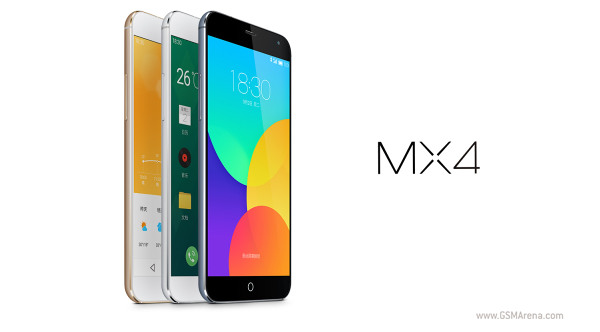
                                                        Meizu MX4 ($365)

Meizu's MX4 is offered at a great price and can now be ordered directly. It
comes with Android 4.4.4 KitKat, with Meizu's own Flyme 4.0 on top of it. It
sports a large 5.36" display, MT6595 octa-core CPU with four Cortex-A17
cores, clocked at 2.2 GHz, and four Cortex-A7, running at up to 1.7 GHz each.
2 GB of RAM are on board. The device does not offer a microSD slot for external
cards and comes in three storage space                                                                              variants – 16 GB, 32 GB, 64 GB. The
                                                                       MX4 also offers a 20.7 Exmor RS camera                                                                            and a 2MP front snapper.

Huawei Honor 6 ($346)

The Honor 6 features a 5-inch 1080 x 1920-pixel Full HD display, an 8-core Kirin
920 processor, 3 GB of RAM, and a 13MP main camera, as well as a secondary 5
MP one, all in a thin and light body, what's not to like at this price tag.


ZTE Nubia Z7 mini ($365)

The ZTE nubia Z7 mini sports a 5-inch 1080p display, 13 megapixel shooter with
flash and two SIM card slots. The device is powered by Qualcomm Snapdragon
801 chip featuring a 2GHz quad core processor and 2GB of RAM. The available
storage space equates to 16GB and is expandable via a                                                      microSD card slot.

Top free 3rd party launchers on the playstore

Top buttery launchers for your Android Device

  Are you looking for a good 3rd party launcher on the playstore which can change your whole software usage experience into buttery smooth animations and give your software a vibrant and attractive look ?
 Then you are at the right place! I'm gonna list out the top free 3rd party launchers on the playstore which can do this.

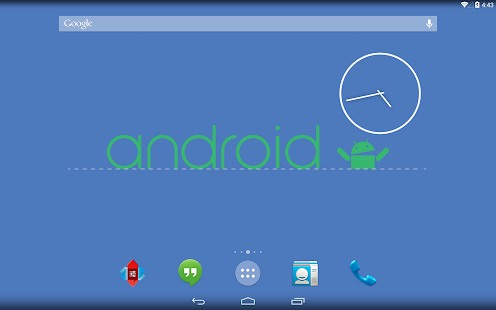
  • Nova launcher-
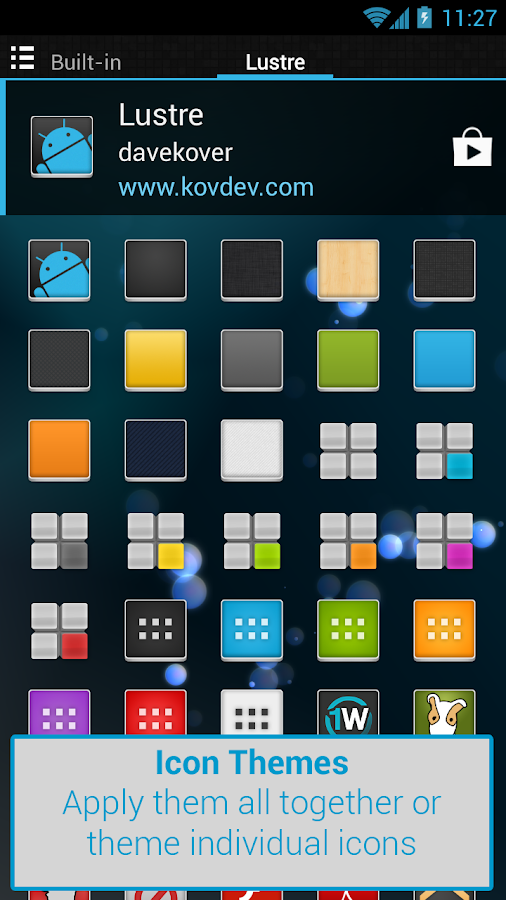
      Nova Launcher replaces your home screen with one which you can control and can customize. Change icon themes, colors, layouts, animations and more.


  • Apex launcher-

Apex Launcher helps you create a customized homescreen experience on your Android (4.0+) device. It is completely bugless and there is no lag in the interface.

            
               Apex launcher-  https://play.google.com/store/apps/details?id=com.anddoes.launcher&hl=en


  • Apus launcher-
APUS Launcher is the smallest, fastest, and simplest launcher on market. More than just a launcher that puts your favorite apps at your fingertips, APUS also boosts speed and battery life of your phone, helps you search everything, while making the using experience as seamless and smooth as iOS.